
Seaglass
A Windows game launcher that finds the games installed on your PC on its own, from every store launcher and beyond, and plays great with a DualSense.
Windows 10 and 11, 64-bit. Installs for your account only, no admin rights, updates itself. Free and open source (AGPL-3.0). Release notes · Privacy
What it does
- Finds every gameSteam, Epic, GOG, EA, Ubisoft, Battle.net and Xbox installs, plus standalone and DRM-free installers and plain game folders. It works out which game each one is.
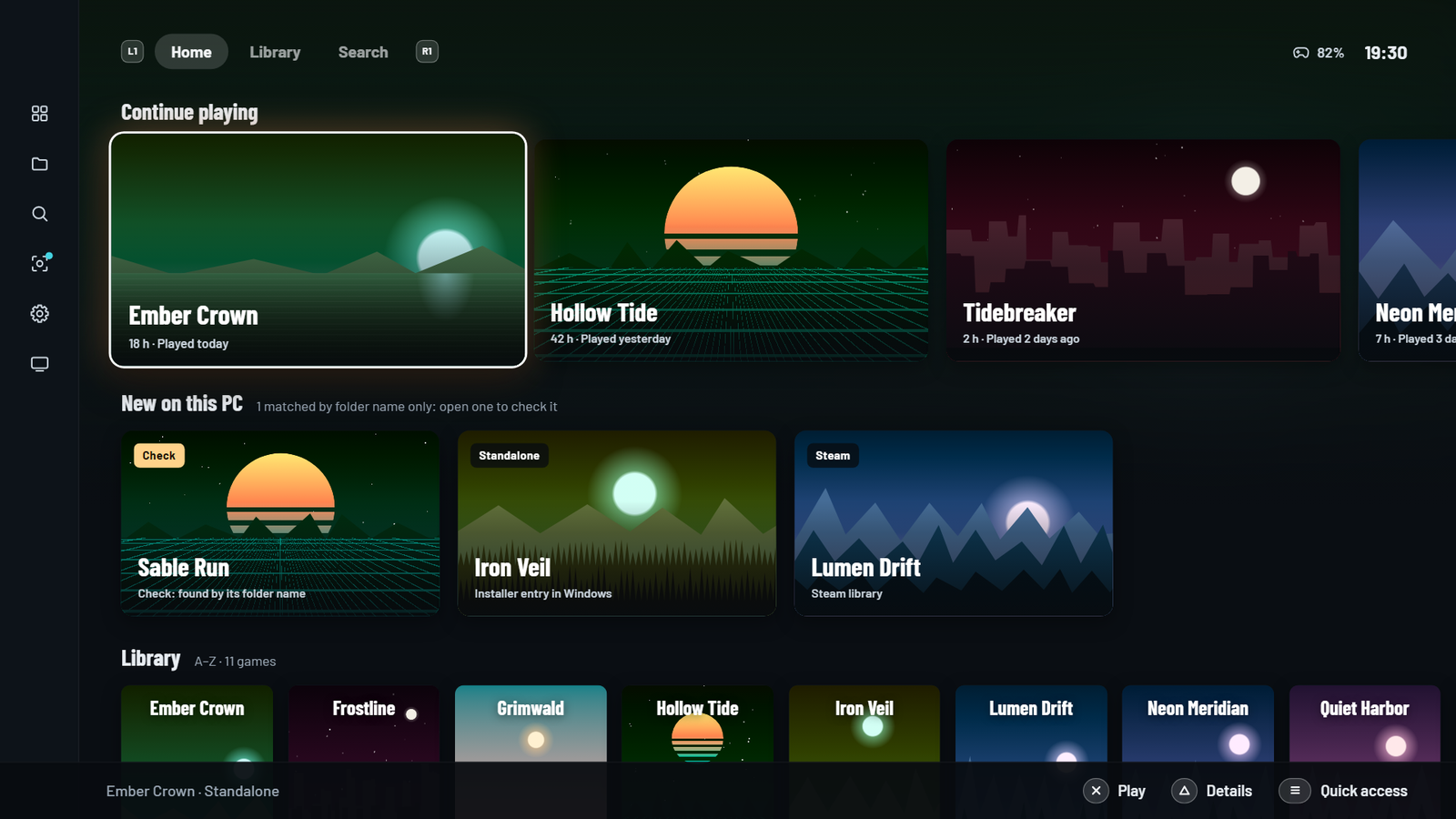
- Two ways to browseA desktop mode for mouse and keyboard, and a big picture mode for the couch with three layouts: Deck, Console and Orbit.
- DualSense firstNative PlayStation button glyphs, haptics and lightbar. The PS button opens Seaglass. Games without DualSense support start through Steam Input automatically.
- Playtime and an in-game overlaySeaglass tracks playtime, closes its interface while you play to free memory, and the PS button opens an overlay over the game.
- Achievements in one placeUnlocked and locked achievements with dates and rarity, right on each game's page.
- Saves that follow youWorks with Syncer to sync saves before and after you play. One click in Settings → Saves installs it.
Screenshots
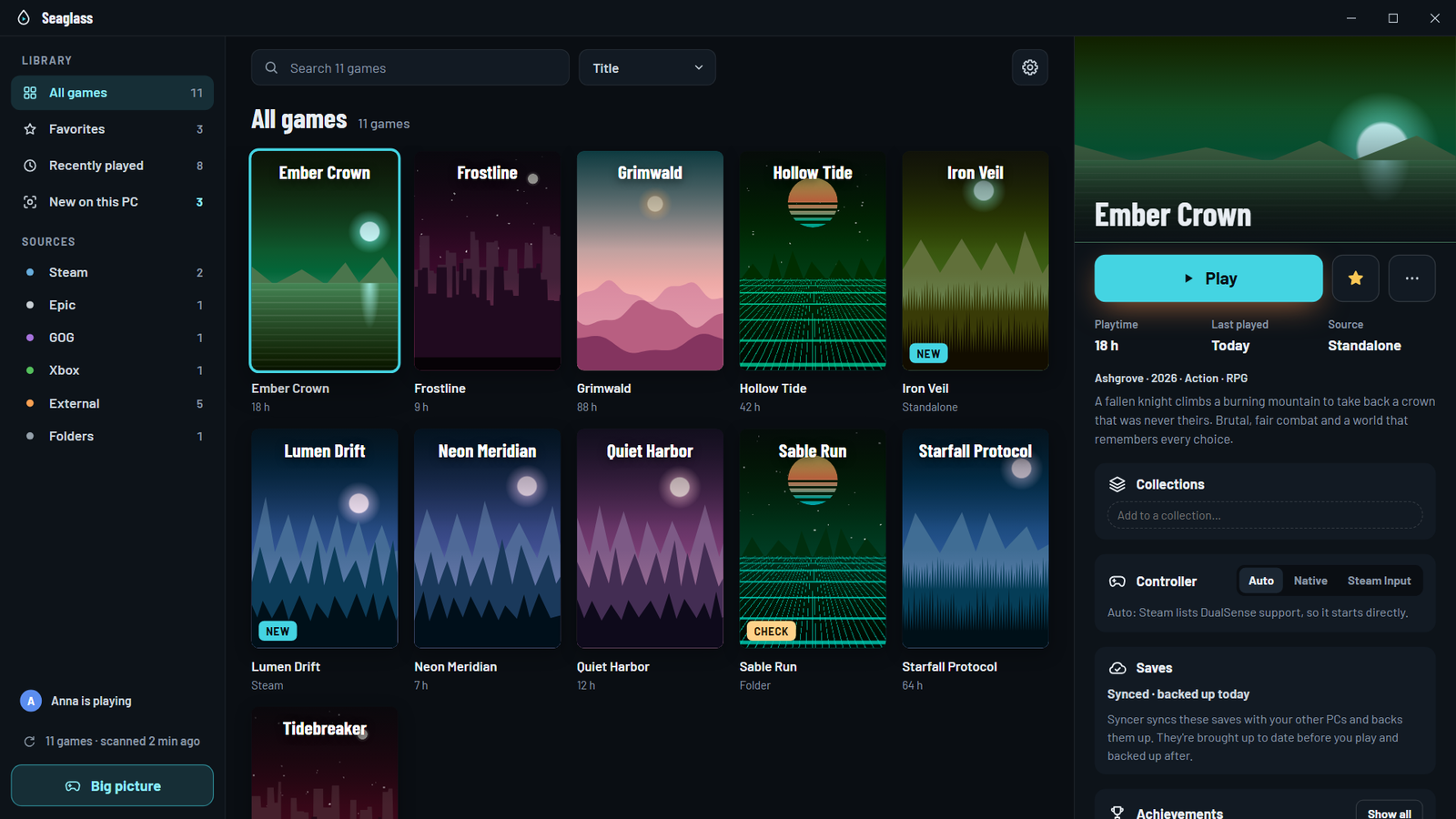
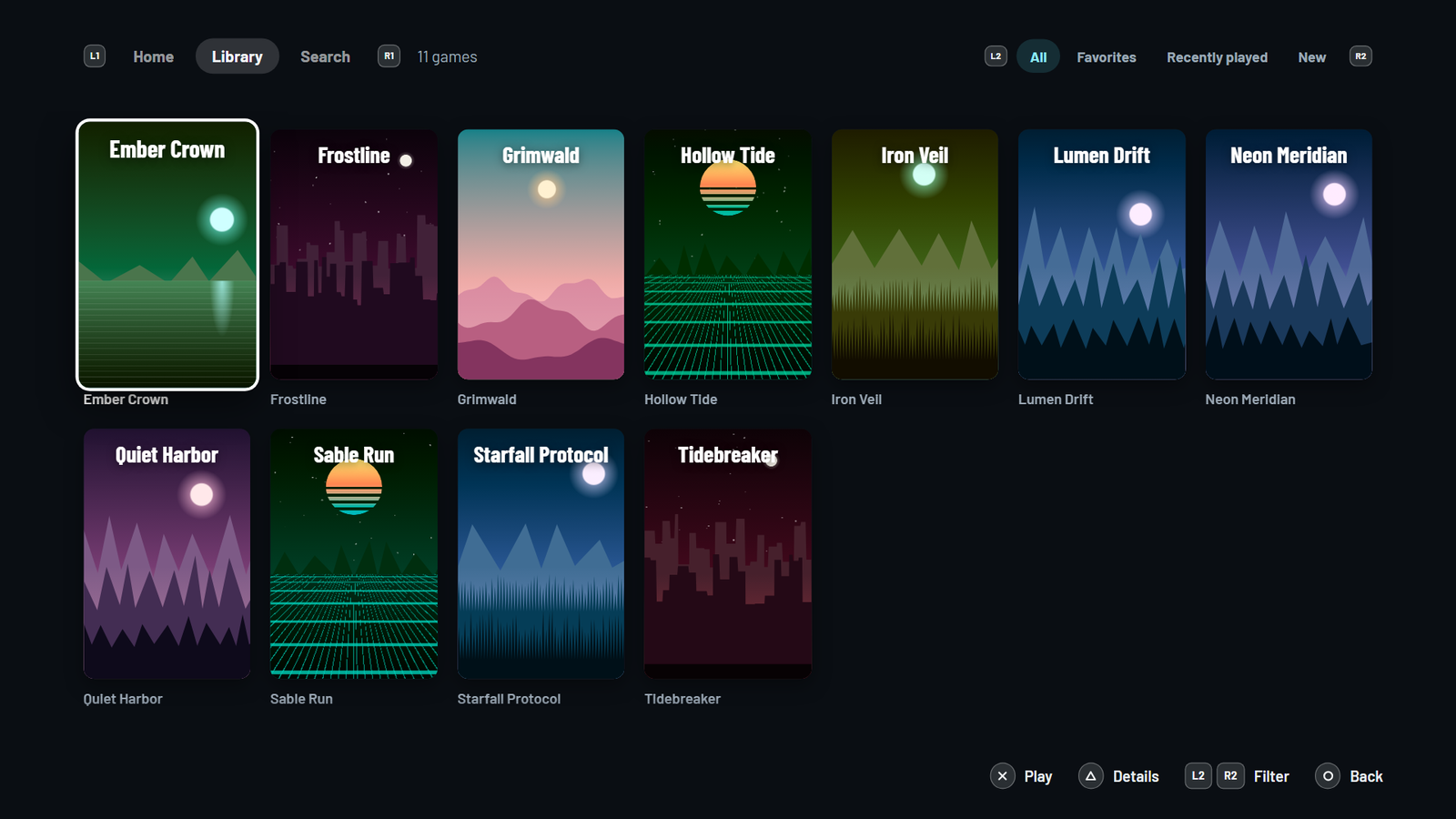
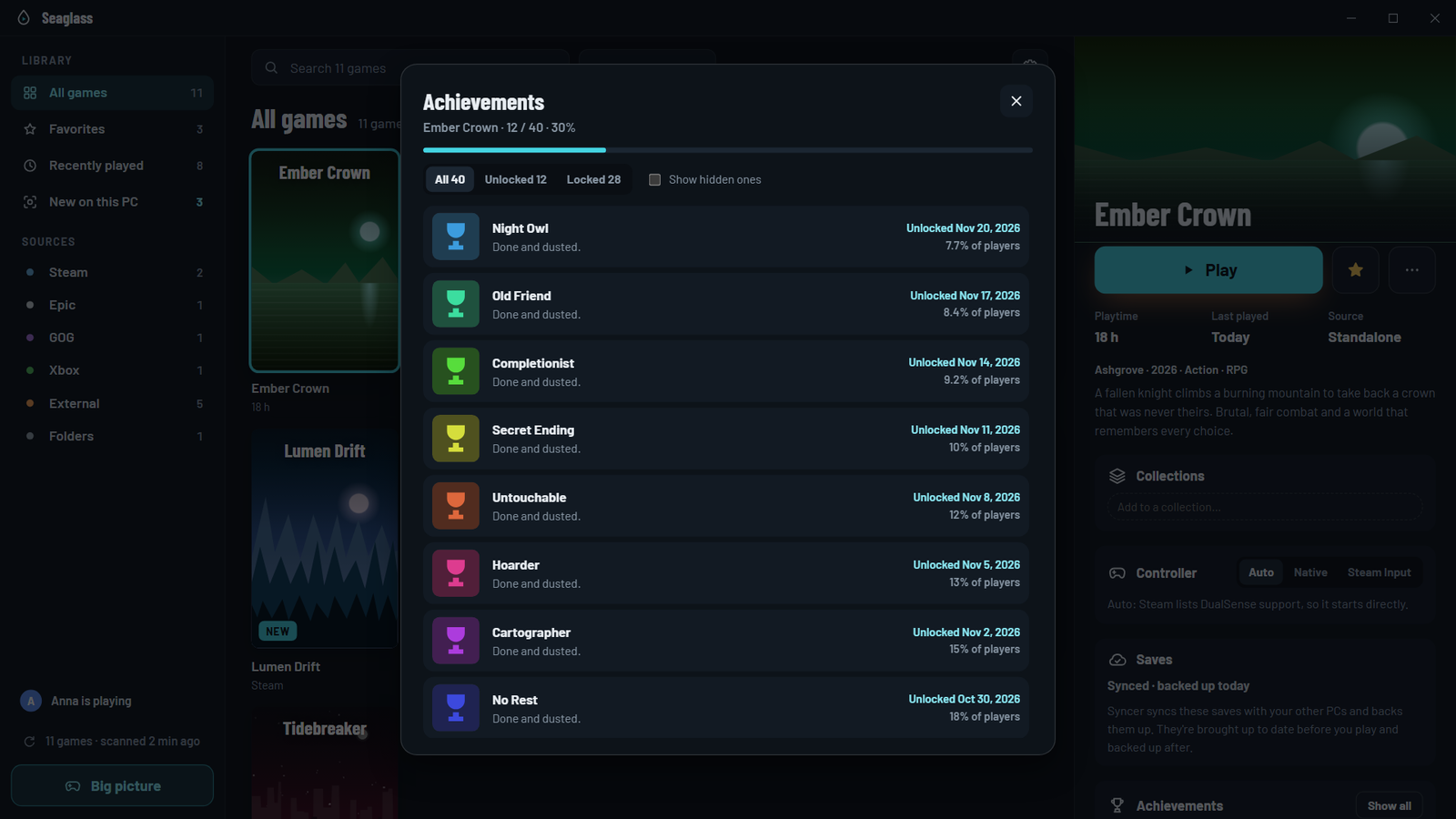
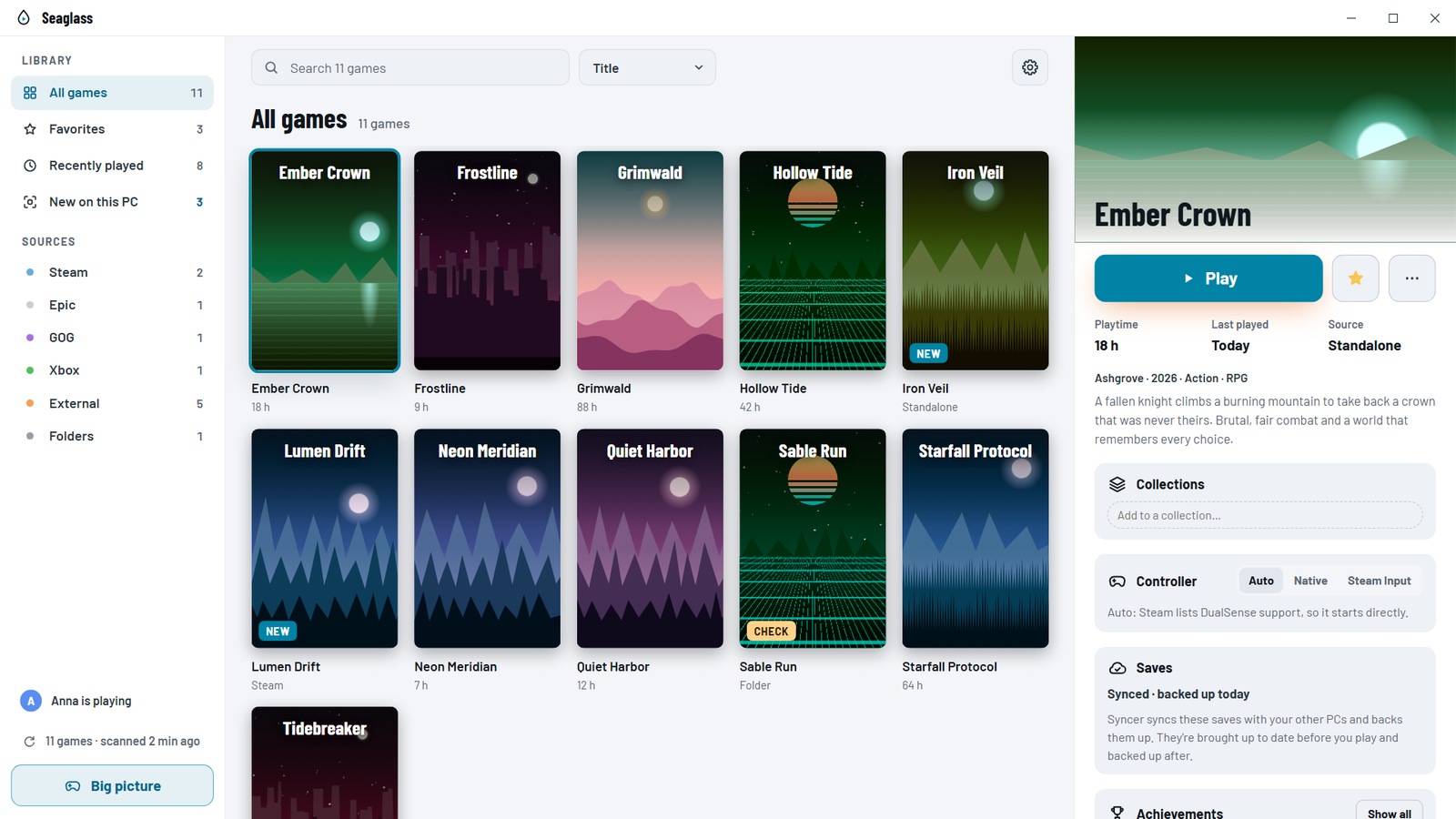
Screenshots use the built-in demo library, so the games and art are made up.
Install
- Download
Seaglass-setup.exeand run it. Prefer no installer?Seaglass.exeon the release page runs from any folder. - Builds aren't code-signed yet, so Windows SmartScreen may warn the first time: More info → Run anyway. Each release lists SHA-256 checksums, and updates must carry a signature from the maintainer's release key.
- Open Seaglass. It scans your PC and builds the library on its own.
Seaglass is a library manager: it indexes and starts games that are already installed. It doesn't download, unlock or modify games. It is an independent project, not affiliated with Valve, Epic Games, GOG, EA, Ubisoft, Blizzard, Microsoft or Sony.
Seaglass is free and has no pro tier. If you use it every day, you can chip in to keep it going.
Support Seaglass